Building design system components with agent teams
What I learned building an 8-agent pipeline that produces production design system components from Figma
Kaelig Deloumeau-Prigent · · ~50 min read
I built a complex design system React component from a Figma file without manually writing a single line of code.
It took me two days to prompt my way to a production-quality component (it looks like something a frontend dev spent ~three weeks on), and a couple of weeks to then build an agentic pipeline that can build it again with an equivalent, high level of quality, in about an hour.
I chose the Menu deliberately – it’s one of the hardest things to get right in the Intuit Design System. Nested submenus portaled outside the parent’s DOM tree, five selection models each with different ARIA roles and keyboard contracts, arrow keys behaving differently depending on where you are in the menu tree – if agents can build this, they can build almost anything in a design system. Single-prompt figma-to-code works fine for prototypes, but production components have a quality bar that prompting alone can’t consistently reach: design tokens, ARIA semantics, theming, screen reader experience – models guess at which non-functional requirements matter, and often they just fill in the blanks.
So I first tried to solve it with full autonomy: a pipeline that could take a Figma link and produce a production component without human intervention. And I hit a ceiling. Not because the agents weren’t capable, but because “correct” and “excellent” are different things. The pipeline could follow rules but it couldn’t question. The breakthrough was redesigning the system to be a thought partner – not replacing the human, but creating structured space for human judgment where it matters most.
When I posted a teaser on LinkedIn, the questions that came back shaped what you’re about to read. This piece tells the story of how the architecture came together as I ran into failure modes one after another. What the eight agents do, what contracts hold them together, what tells them when to stop, and when the pipeline halts for a human.
The map
In the comments of my LinkedIn teaser, Nathan Curtis asked: I would most want to know the map, architecture and steps you and your agents converged on. So let me start here. The pipeline has three phases: Understand, Build, and Verify. Eight agents, each with a specific role, each producing a specific artifact that downstream agents consume. No agent sees the full picture. Each one gets a focused context window with just the artifacts it needs.
Understand
- Role
- Extracts the full component spec from Figma
- Consumes
- Figma file (via Console MCP or REST API)
- Produces
brief.md,figma-raw.json- Exit criteria
- 12-point completeness checklist passes
- Budget
- 1 pass. Flags gaps as
[PENDING]
- Role
- Audits every dependency’s full API surface
- Consumes
brief.md, project dependencies- Produces
component-rules.md(CR-* mandatory, AR-* advisory)- Exit criteria
- All dependencies documented with usage rules
- Budget
- 1 pass
- Role
- Designs the component API and composition strategy
- Consumes
brief.md,component-rules.md- Produces
architecture.mdwith handoff notes- Exit criteria
- All
[BLOCKING]issues resolved via conversational gate - Budget
- 1 pass + conversational gate with human
Build
- Role
- Generates the component from specs
- Consumes
brief.md,component-rules.md,architecture.md- Produces
- TypeScript files, CSS modules, barrel exports
- Exit criteria
- Compiles with zero
[TOKEN_MISMATCH]markers - Budget
- 1 pass + compliance fix loop
- Role
- 8-layer a11y testing stack
- Consumes
- Generated component source
- Produces
- Accessibility report (P1/P2/P3 findings)
- Exit criteria
- Zero unresolved P1 findings
- Budget
- Up to 3 remediation attempts
- Role
- Writes Storybook stories with interaction tests
- Consumes
brief.md,architecture.md, a11y report, component source- Produces
- CSF Factories stories with play functions
- Exit criteria
- All variants covered, interaction tests pass
- Budget
- 1 pass + up to 2 retries on failures
Verify
- Role
- Screenshot-compares Storybook against Figma
- Consumes
- Rendered stories, Figma reference
- Produces
- Visual comparison report (9 dimensions)
- Exit criteria
- All dimensions PASS, or documented acceptable deviations
- Budget
- Max 5 iterations, stops on diminishing returns
- Role
- TypeScript compilation, linting, formatting
- Consumes
- All generated source files
- Produces
- Quality gate report
- Exit criteria
- All checks PASS
- Budget
- 1 pass + 1 retry. Same error twice = bail
The Understand phase is where no code gets written. Funnily enough, it’s the phase that matters most.
Design Analyst reads the Figma file and produces brief.md – a spec covering everything the downstream agents need: variants, states, design tokens (color, spacing, typography, shadows, borders, border-radius), responsive behavior, motion specs, content rules, keyboard interactions, and accessibility requirements. It also caches the raw Figma data as figma-raw.json so no other agent has to re-query the API.
The Design Analyst connects to Figma through two paths. The primary path is the Figma Console MCP – a plugin running inside the Figma desktop app that exposes a WebSocket API. The Bridge can do things the REST API can’t: expand component instance children (the REST API returns children: [] for instances), resolve variable bindings to actual token names (the REST API returns opaque variable IDs), and reach internal layout properties like padding and gaps. The fallback is the Figma REST API, which returns less data but works without the desktop app running.
The Design Analyst uses Specs (a Figma Plugin generating structured data format that lives inside Figma component frames as YAML, developed by Nathan Curtis) as its primary token source when available. Specs data contains explicit $token references – not opaque variable IDs that need resolution, but readable strings like $space.component.stack.padding.xx-small. When Specs data is available, token extraction is reliable. When it’s not, the Analyst falls back to Figma’s bound variables (via the Figma Console MCP). When sources disagree, it flags the conflict rather than guessing.
Library Researcher takes the brief and does something no human reliably does mid-build: it audits every dependency in the project. What does this library’s full API surface look like? Which parts solve problems the component already needs? The output is component-rules.md – mandatory and advisory rules for the Code Writer. Things like “floating-ui provides useListNavigation for arrow-key traversal, useTypeahead for character search, useDismiss for escape and click-outside. Do not implement these manually.” This agent exists because of a specific failure I’ll tell you about in a later section.
Component Architect sits between research and code. It takes brief.md and component-rules.md and designs the component API: TypeScript prop interfaces, file structure, composition strategy (simple props vs. compound components vs. discriminated unions), and which headless library to use (or whether to go custom). The output is architecture.md with specific handoff notes addressed to the Code Writer – things like “For Code Writer: use var(--radius-action) for item focus rings, not var(--radius-container-overlay).” The Architect can also flag blocking issues that require human resolution before code generation starts.
The Build phase takes those three artifacts and produces code.
Code Writer gets all three artifacts and generates the component: TypeScript files, CSS modules for scoped styling, barrel exports for clean imports. It’s contractually obligated to read component-rules.md before writing a single line – a constraint that exists because earlier versions of the pipeline had the Code Writer skip the research findings and reinvent what the library already provided.
The Code Writer has strict rules about tokens. No hardcoded colors, spacing, or typography – everything goes through CSS custom properties from the design system. No CSS fallback values (var(--token-name, #333)) – if a token resolves to nothing, that’s a bug to fix, not a thing to paper over. And when JavaScript needs a spacing value (like the pixel offset for Floating UI’s positioning middleware), it reads the CSS custom property at runtime via getComputedStyle rather than hardcoding a number that would silently desync when the theme changes.
Accessibility Auditor throws everything it has at the generated component. Eight layers: ESLint a11y rules (static analysis), axe-core (runtime WCAG validation), virtual screen reader simulation, Storybook a11y addon integration, axe-core with Playwright for in-browser testing, keyboard navigation tests (Tab, ArrowUp, ArrowDown, Enter, Escape, Home, End), contrast ratio checks, and a manual review checklist for things automated tools can’t catch. Findings are classified as P1 (blocker – must fix), P2 (should fix – logged but non-blocking), or P3 (enhancement – nice to have). P1 findings trigger up to three remediation attempts. Same error signature twice? The Auditor stops and flags it as [UNRESOLVED_A11Y] rather than looping.
You might notice the Accessibility Auditor is a verification step sitting in the Build phase, not the Verify phase. That’s deliberate. Accessibility findings need the shortest possible feedback loop back to the Code Writer – a tight cycle of “audit, flag, fix, re-audit” while the component is still being shaped. Pushing it to Verify would mean the Code Writer finishes, the Story Author writes stories, the Visual Reviewer screenshots everything – and then an a11y finding sends you all the way back. By keeping the Auditor in Build, right next to the Code Writer, P1 findings get fixed in minutes, not after the entire downstream chain has run.
Story Author is the last builder. It reads the brief, architecture, accessibility report, and the generated component, then produces Storybook stories (CSF Factories format) covering every variant, state, and edge case. This means: primary and secondary variants, interactive states (hover, focus, active, disabled), loading and error states, edge cases (long text, overflow, RTL, empty content), responsive viewport stories, and keyboard navigation stories. Each story includes interaction tests using play functions: click this item, verify the callback fires, press ArrowDown, verify the next item receives focus, press Escape, verify the menu closes and focus returns to the trigger.
These are regression tests, not visual demos. When a future change breaks keyboard navigation, the story test catches it. When a CSS change makes the toggle indicator invisible, the play function that clicks the toggle and verifies the state change will still pass (because the state changed) – but the Visual Reviewer will catch the visual regression. Different agents, different failure modes, layered coverage.
The Verify phase checks the output against the original design.
Visual Reviewer screenshots the rendered Storybook stories and compares them against the Figma design across nine dimensions: layout, typography, colors, spacing, shadows, borders, border-radius, icons, and states. Each dimension gets a grade: PASS, MINOR, MODERATE, or CRITICAL. The reviewer can apply fixes and re-screenshot, up to five iterations. If an iteration produces less than 2% improvement over the previous one, it stops and documents what’s acceptable versus what needs human judgment. This is the most GAN-like part of the system – a generative adversarial network dynamic where the evaluator grades the generator’s output and the generator refines.
Quality Gate runs TypeScript compilation, linting, and formatting. The mechanical stuff. It auto-fixes what it can and reports what it can’t. If the same error persists after one retry, it stops rather than looping.
Three structural patterns run through the whole pipeline.
Artifact-based handoffs. Agents communicate through structured documents, not messages. brief.md has required sections. architecture.md has named handoff notes. Each document is a contract with expectations on both sides. This matters because agents run in separate context windows – they can’t share memory or state, so the artifact is the only reliable channel.
Fresh-context validation. Validators get isolated context. The Visual Reviewer doesn’t see the full codebase or the architectural decisions – just the component and its Figma reference. Like a code reviewer who reads the PR, not the whole repo. Fresh eyes catch what familiar eyes miss.
Iteration budgets. Every agent that can loop has a maximum number of iterations. Visual Reviewer gets five. Accessibility Auditor gets three remediation attempts. Quality Gate gets one retry. Without budgets, agents chase perfection on a 1px shadow offset while the clock runs.
The rest of this piece zooms into specific agents and their interactions. This section gives the full picture at a glance – the map Nathan asked for. Keep it in mind as we go deeper.
The vibe-coded baseline
Before building the pipeline, I built the component by hand. Me and Claude, pair-programming through the Menu over roughly 15-20 hours across two days.
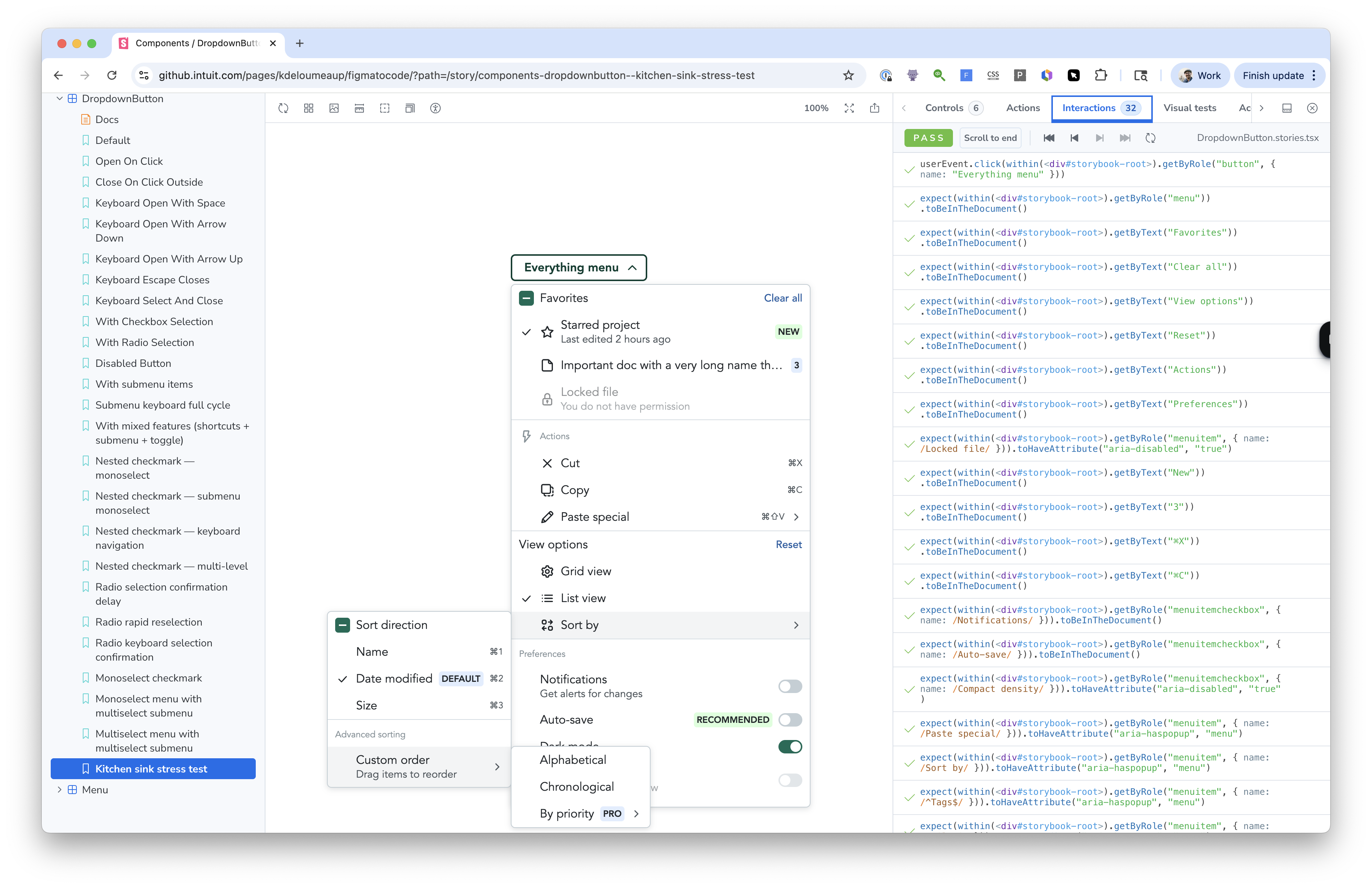
40 commits later and many prompt nudges, we went through a CSS modules migration, Storybook setup, IDS Badge integration (the Intuit Design System – the component library and design token system that powers Intuit products like QuickBooks), nested submenu fixes, typeahead navigation, a select-all header, motion / transitions, edge case stories...
It worked! If you opened the Storybook, you’d see a Menu that behaves like something a senior frontend engineer spent three weeks on.
But the cost was hidden in the commits.
The agent wrote approximately 300 lines of custom keyboard navigation – arrow key traversal, Home/End, typeahead character search, Escape handling, focus management, ARIA attribute wiring – when @floating-ui/react already provides all of it through composable hooks. useListNavigation for arrow keys with roving tabIndex. useTypeahead for prefix matching with same-character cycling. useDismiss for Escape and click-outside with tree bubbling. useRole for automatic ARIA attributes per spec. FloatingFocusManager for initial focus, restoration, and portal focus ordering.
The library was already a dependency. I just didn’t know its full API surface, and neither did Claude.
That’s the fundamental problem with vibe coding. The agent has the same knowledge gaps you do, and they compound. If you don’t know useListNavigation exists, the agent won’t suggest it. It won’t say “hey, before we write this custom keyboard handler, have you checked what the library you’re already using provides?” That conversation never happens. You’re two people who don’t know what they don’t know, confidently building the thing from scratch.
And it’s not just keyboard navigation. The component used FloatingPortal to render submenus outside the parent DOM tree – a common pattern for layered UI. But portaled content breaks DOM event bubbling. onKeyDown on the parent <ul> never fires for events inside the submenu. Each submenu level needs its own keyboard handler, and child-to-parent communication has to go through callback props instead of native events. That’s a non-obvious architectural constraint that the agent didn’t mention and I didn’t catch until things started breaking.
Similarly, the disabled attribute on menu items. Seems reasonable, right? But the WAI-ARIA menu pattern says disabled items must be focusable but not activatable. HTML disabled prevents focus entirely. The correct approach is aria-disabled="true" without the native disabled attribute. This is documented in the W3C APG patterns, but when you’re moving fast and the code “works” in the browser, you don’t notice until someone tests with a screen reader.
I started a branch for a full rewrite. The brainstorm ran through all twelve architectural decisions: hook composition per menu level (root menus and submenus need different hook configurations), safePolygon for hover intent, floating-ui’s default typeahead, FloatingFocusManager with modal={false} (so Tab leaves the menu instead of trapping focus), FloatingList for item registration, aria-disabled with disabledIndices arrays, ArrowRight for submenu opening (requires custom wiring because floating-ui doesn’t have a built-in “open child on arrow” behavior), FloatingTree events for nested coordination. The analysis showed we could replace ~300 lines of custom code with ~50 lines of hook composition while preserving every UX behavior.
I abandoned the rewrite. Too much rework, not enough time (I wanted to move on to the agentic part of the experiment). Rewriting the interaction layer would have meant retesting everything – all the stories, all the keyboard behaviors, all the edge cases. The cost of the knowledge gap wasn’t just the 300 lines. It was the locked-in architecture that made the correct approach prohibitively expensive to adopt.
That abandoned branch is the single best argument for what the pipeline eventually became. The “missing conversation” – the one where someone says “wait, before you write all this, have you checked what the library already does?” – never happened because there was no structural place for it to happen. It was just me and an LLM, and we both had the same blind spots.
There was a smaller moment too. The safePolygon toggle. When you hover over a menu trigger that has a submenu, the submenu opens to the side. To reach it, you move your cursor diagonally – away from the trigger. A naive implementation closes the submenu the moment your cursor leaves the trigger. You never get there. This is the safe triangle problem – one of those ancient UX patterns that goes back to Amazon’s mega dropdown in 2013, and Ben Kamens’s analysis of how Amazon solved it with a cone-shaped activation zone.
Floating-ui solves this with safePolygon – a geometric cone from the trigger to the submenu that keeps the popover open while the cursor is traveling toward it. During the build, the agent didn’t know safePolygon existed, so it built a timer-based approach. When I found the proper solution, integrating it was harder than expected – nested useDismiss bubbling conflicts with multi-level FloatingTree contexts. I adopted safePolygon, reverted it, and re-adopted it in 88 minutes. The kind of churn that wastes time and erodes confidence.
The pipeline’s Library Researcher would have surfaced safePolygon, the dismiss bubbling behavior, and the FloatingTree coordination pattern before a single line was written. It also would have found the five alternative approaches I later documented in a research pass – React Aria’s pointer-friendly submenu experience, AriaKit’s menu component, Headless UI’s popover, and the original jQuery menu-aim technique. The Library Researcher doesn’t just say “use this hook.” It says “here are the options, here are the tradeoffs, here’s what this codebase should use and why.”
But not everything from the manual build was friction. Two practices actually worked well.
Research passes before complex features produced better decisions. The hover cone research (comparing those five approaches before committing to safePolygon) and the WAI-ARIA research (which surfaced a Tab trap bug with FloatingFocusManager before it shipped) both happened because I deliberately paused and read before coding. These became the Library Researcher and the Accessibility Auditor.
The generate-test-fix loop was tight and self-correcting. Writing Storybook play functions alongside the component code made every iteration immediate. Run story tests with accessibility checking enabled, see what breaks, fix it, re-run. This loop became the Build phase’s core pattern.
This section isn’t here to make the manual build look bad. The component shipped! It works. But it illustrates what “possible” looks like – and what it costs when knowledge gaps compound. A working component, real knowledge gaps, and no way to know what you missed until it’s too late.
The first attempt – automate everything
After the manual build, I went through every commit, every workaround, every “that’s not right” moment, and classified each one. 34 findings. What emerged was a three-tier framework that became the foundational design decision for the entire pipeline.
Not all failures are the same kind of failure. Most agent systems treat every mistake as a prompt engineering problem. The retrospective showed that only about half the failures were prompt-fixable.
| Tier | Count | What it means | Where it gets fixed |
|---|---|---|---|
| 1 | 18 | Agent needs a rule – once told, never recurs | Skill files and memory |
| 2 | 9 | Tooling needs improvement – MCPs, Figma plugins, design system APIs | Infrastructure roadmap |
| 3 | 6 | Human judgment required – structurally resists automation | Explicit human gates |
Tier 1 failures are the interesting ones for pipeline design. Here are a few representative ones:
Token prefix conventions. Agents assumed IDS uses --ids-* prefixes. It doesn’t – IDS uses bare prefixes like --color-*, --space-*, --font-*, --radius-*. This was the catastrophic failure that defined the project. More on this shortly.
node_modules spelunking. When looking up IDS component styling, agents crawled node_modules/@ids-ts/*/dist/main.css – a slow, fragile path through minified CSS that might reflect a stale version. The correct approach is calling the design system’s MCP tools, which return the authoritative API.
Library API underutilization. Those 300 lines of custom keyboard navigation from the manual build. The agent’s natural mode for interactive components is to hand-roll everything. Without explicit direction to audit the library’s full API first, it will always default to building from scratch.
CSS token fallbacks. Early code used var(--token-name, #333333). This masks missing tokens silently – the fallback color renders, so the component looks “fine” in development, but when the theme changes or a dark mode token resolves differently, the hardcoded fallback silently desyncs. The rule: write var(--token-name) only. If a token resolves to nothing, that’s a signal to fix the token, not paper over it.
Story tests stopping at step one. Multi-step interaction stories that only prove the menu opens but never test three levels of submenu navigation deep. And stories that assert immediately after a hover without waiting past the close-on-leave timer deadline – they pass because the interaction didn’t fail immediately, but they don’t prove the timer was actually cancelled.
Sentence case. LLMs default to title case for every string. Intuit’s editorial voice requires sentence case on labels, buttons, placeholder text, dialog titles, descriptions, story names. Only proper nouns and acronyms use capitals. This one was subtle – the component was functionally correct, but every user-facing string was wrong for the brand.
All 18 shared a trait: once the rule was written, the failure never recurred. Write a rule about token prefixes, and fabricated tokens disappear permanently. Write a rule about CSS fallbacks, and no agent ever uses them again. The rules don’t decay. They compound.
So I built a pipeline. Versions 0.1 through 0.5: sequential agents, artifact handoffs, a single quality gate at the end. The RLHF loop was simple. Run the pipeline. Observe what went wrong. Encode the correction as a rule. Re-run. The building of the pipeline and the evaluation of the pipeline are two different things – you can’t test a figma-to-code pipeline inside the pipeline. You need a real component in a real project. So the workflow became: edit a skill in the plugin repo, run the pipeline on the Figma Menu in the test repo, test the output in Storybook, run the pipeline’s own review pass, observe what went well and what went wrong, then come back and fix the skill.
The review step was what made the whole loop practical. After every full pipeline run, I’d invoke a separate multi-agent code review that generates a detailed log – what went well, what didn’t, organized by category: token validity, accessibility compliance, story coverage, architecture adherence, visual fidelity against the Figma source. Not a quick glance at the output – a structured report with specific findings I could act on.
Without the review log, I would have been staring at a component in Storybook thinking “something looks off but I can’t tell what.” With it, I had a checklist: “token --space-stack-padding-large used for container padding, but Figma specifies --space-stack-padding-xx-small.” Or: “Story Author generated 34 stories but only 17 have interaction tests – 17 are render-only with no assertions.” Or: “Code Writer used aria-disabled correctly on menu items but missed aria-checked on toggle items.” Each finding pointed directly at a specific agent’s behavior, which made it obvious where to encode the fix.
The review also reveals gaps in its own judgment. When v0.2’s review said “all tokens valid” and the component rendered completely unstyled – that told me the review itself didn’t know what a valid token looks like. The RLHF loop improves both sides. The review gets better at catching problems, which surfaces more failures to encode, which makes the next build better, which raises the bar for what the review needs to catch. Build and review compound together.
I call this vibe RLHF – reinforcement learning from human feedback, applied not to a model’s weights, but to the rules and context that wrap around it. The “reward signal” is my judgment. The “training update” is the rule I write. Unlike model-level RLHF, the feedback loop is immediate – I see the failure, write the rule, re-run, and know within 45 minutes whether the fix worked.
The rules live in a layered persistence system. Three layers, each with increasing durability and enforcement:
workarounds.md is the raw observation log. 23 numbered gotchas, each structured as: what happened, why it matters, what rule prevents it. This is the living document – observed but not yet promoted. When I notice a failure, it goes here first.
Memory (standing instructions loaded into every conversation) is the promoted layer. Rules that proved broadly applicable get promoted from workarounds to memory. Things like “never use CSS custom property fallbacks” and “never hardcode token values in JS.” These load automatically into every agent’s context.
Skill files are the hardened layer. Rules encoded into each agent’s system prompt. The agent literally cannot start work without loading them. The Design Analyst’s skill says “MANDATORY: call mcp__ids__get_tokens before writing any token reference.” The Code Writer’s skill says “read component-rules.md before writing a single line.” These aren’t suggestions. They’re pre-flight checks.
A rule that lives in the wrong layer either gets ignored or over-enforced. Workarounds are too easy to miss – agents might not read the document. Memory is broadly applicable but has no per-agent targeting. Skills are precise but take effort to encode. The art is knowing when to promote.
The 27 fabricated tokens
The story that crystallized the project’s thesis.
.menu-container {
  background: var(--ids-color-surface);
  border-radius: var(--ids-radius-md);
  padding: var(--ids-space-lg);
  box-shadow: var(--ids-shadow-overlay);
}

.menu-item {
  color: var(--ids-color-text-primary);
  padding: var(--ids-space-sm) var(--ids-space-md);
  border-radius: var(--ids-radius-sm);
  font-size: var(--ids-font-size-body);
}

.menu-item:hover {
  background: var(--ids-color-hover);
}

.menu-item:focus-visible {
  outline: 2px solid var(--ids-color-focus);
}
All 27 tokens use a plausible --ids-* prefix that does not exist in IDS. Every property resolves to nothing. The component renders as unstyled HTML.
.menu-container {
  background: var(--color-background-container-overlay);
  border-radius: var(--radius-container-overlay);
  padding: var(--space-component-stack-padding-xx-small);
  box-shadow: var(--shadow-overlay);
}

.menu-item {
  color: var(--color-content-primary);
  padding: var(--space-component-inline-padding-small) var(--space-component-inline-padding-medium);
  border-radius: var(--radius-action);
  font-size: var(--font-size-component-medium);
}

.menu-item:hover {
  background: var(--color-background-action-hover);
}

.menu-item:focus-visible {
  outline: 2px solid var(--color-border-focus);
}
Same component, real IDS tokens. Bare prefixes (--color-*, --space-*, --radius-*), sourced from the design system MCP tool. Three rules, zero fabrication from this point forward.
Version 0.2 ran on the Menu component. Completed successfully. Eight agents, 34 stories, 17 interaction tests. All passing. The pipeline reported success.
I opened the Storybook.
The component was completely unstyled. No colors, no spacing, no border-radius. Raw HTML with correct structure and correct ARIA attributes, but no visual design at all.
Every CSS custom property was fabricated. The agents had confidently generated var(--ids-color-primary), var(--ids-space-md), var(--ids-radius-sm). A plausible --ids-* prefix convention that does not exist in IDS. The real prefixes are bare: --color-*, --space-*, --radius-*. All 27 tokens resolved to nothing.
Tests passed because tests check behavior, not visual appearance. Everything was functionally correct and visually invisible.
Agent systems can be confidently, systematically wrong in ways that pass their own validation. The 27 fabricated tokens weren’t random errors. They were a consistent, plausible convention that any LLM would naturally generate. It’s the obvious wrong answer.
The fix took three rules. One: document that the --ids- prefix does not exist, list the correct bare prefixes. Two: make the Design Analyst call the IDS token MCP tool (it hadn’t been in the agent’s tool list at all). Three: make the Quality Gate grep all CSS custom properties and immediately fail on any --ids- prefix.
One version later – v0.3 – fabrication dropped to zero. Permanently. Across 13 more releases, not a single fabricated token appeared.
But it only works because a human was in the loop. No automated test would have caught tokens that resolve to nothing. You need someone to look at the output and say “this is wrong.”
That’s vibe RLHF. The human sees the failure. The human encodes the fix. The rules compound – each one is a permanent deletion of a failure class. And the next run starts with all the accumulated knowledge of every previous run.
By version 0.5, the early mistakes had stopped appearing entirely. No node_modules spelunking. No fabricated tokens. No title case. No CSS fallbacks. The Tier 1 rules were working. Rules compound.
What about Tier 2?
Tier 2 findings are different. They can’t be fixed with rules – they need improvements to the tools themselves. Nine findings, each pointing at an infrastructure gap:
The IDS icon MCP tool has no “list all” capability. Agents need to verify whether a named icon export exists in @design-systems/icons (600+ icons), but the tool only supports concept search, not exact-name lookup. The workaround (running node -e "require('@design-systems/icons')" to list exports) violates the node_modules rule.
The IDS component lookup is case-sensitive and fails silently. get_component({ name: 'Button' }) returns “Component not found.” The correct call is get_component({ name: 'button' }). No hint that casing is the issue. A foundational component lookup that silently returns nothing is a trust-breaking error for autonomous agents.
Typography in Figma is hardcoded pixels. Text nodes return fontSize: 16, lineHeight: { unit: "PIXELS", value: 20 } with no bound variables. Mapping these to semantic tokens like --font-size-component-medium requires cross-referencing the Specs data or design system documentation – and a one-step guess error (14px → --font-size-component-x-small instead of --font-size-component-small) breaks fidelity silently. Typography tokens were the single biggest source of mismatches in the project.
The Figma REST API can’t expand component instance children (unless the latest version released this week does, I haven’t re-tested yet). The Figma Console MCP can. But the Figma Console MCP requires the desktop app to be running with the plugin installed. Teams without it shift several Tier 1 findings to Tier 2 – they literally can’t get the data they need.
Tier 2 generated specific improvement requests for the IDS team. Not agent failures – infrastructure gaps. Each one represents a class of problems that no amount of agent rules can solve. They need the tooling to get better.
The three tiers became the pipeline’s design principle: automate Tier 1 with rules, build tools for Tier 2 over time, surface Tier 3 as explicit human gates.
But the story doesn’t end here. Because the failures evolve.
Contracts between agents
Jack Brugger’s question – how the agents are set up. But it’s also the section I’m most excited to write, because the contracts between agents are where the real design decisions live. Not in any individual agent’s prompt, but in the agreements about what gets passed between them.
The artifact handoff pattern
Agents don’t talk to each other. They read and write documents.
Design Analyst writes brief.md with specific sections: variants, states, tokens (color, spacing, typography, shadows, borders, border-radius), responsive behavior, motion specs, content rules, keyboard interactions, accessibility requirements. Each section has a defined structure. Missing data is flagged explicitly as [PENDING] or [UNRESOLVED] – never silently omitted.
Component Architect reads brief.md and component-rules.md (from Library Researcher) and writes architecture.md. This document includes TypeScript prop interfaces with JSDoc, a composition strategy, a dependency list with justifications, and handoff notes addressed to specific downstream agents. Literally: “For Code Writer: the container uses var(--radius-container-overlay), but item focus rings must use calc(var(--radius-container-overlay) - var(--border-width-thin)) for concentric alignment. Do not use a separate radius token.”
Code Writer reads all three. It doesn’t guess at the API. It doesn’t invent tokens. It follows the contracts.
Obvious in retrospect. Structured handoff documents between agents. But the key insight is that each document is a contract with required fields – not a freeform summary. When the Design Analyst writes brief.md, every section is mandatory. When a section can’t be filled (because Figma doesn’t have the data, or because the Specs data is ambiguous), that gap is explicitly marked. The absence of data is itself data.
The handoff notes are particularly important. They’re named. “For Code Writer: …” means the Architect is making a specific recommendation to a specific consumer. It’s not a general comment – it’s an instruction with context. The Code Writer knows to look for these notes. The Architect knows to write them.
Deep dive: Library Researcher and Code Writer
The most important interaction in the entire pipeline. The structural answer to the “missing conversation” from the vibe-coded baseline.
Remember the 300 lines of custom keyboard navigation? The floating-ui hooks that already handled it? During the manual build, nobody checked. There was no place in the process for that conversation to happen. The agent defaulted to hand-rolling behavior – its natural mode for any interactive component.
The Library Researcher exists to force that conversation.
Before the Code Writer sees a single line of its own output, the Library Researcher has already audited every dependency in the project – what does @floating-ui/react’s full API surface look like? It reads library documentation through MCP tools (MCP is the Model Context Protocol – an open standard for connecting AI agents to external tools and data sources; Context7 is a specific MCP server that serves up-to-date library documentation). It cross-references the brief against what each dependency provides. It also evaluates whether open-source alternatives (Radix UI, React Aria, Headless UI, AriaKit) would be a better foundation for the component.
Then it writes component-rules.md. This is a set of mandatory rules (prefixed CR-*) and advisory rules (prefixed AR-*). A mandatory rule for the Menu would be: “floating-ui provides useListNavigation for arrow-key traversal with roving tabIndex, useTypeahead for prefix matching with same-character cycling, useDismiss for escape and click-outside with tree bubbling, useRole for automatic ARIA attributes. Do not implement these manually.” An advisory rule might be: “Consider FloatingList with useListItem for dynamic item registration instead of manual ref arrays.”
The specificity matters. “Use the library’s hooks” is too vague – the Code Writer doesn’t know which hooks, or what they do, or how they compose. “Use useListNavigation for arrow-key traversal with roving tabIndex” is actionable. The Code Writer knows exactly what to reach for and why. And if the Library Researcher also notes “hook composition differs per menu level – root menus need useListNavigation + useTypeahead, while submenus also need useDismiss with tree bubbling” – the Code Writer avoids the architectural trap I fell into during the manual build, where the same hook configuration was applied to all menu levels and the dismiss bubbling silently broke.
The Library Researcher also evaluates OSS alternatives in both directions. If the brief describes behavior that an existing library handles, it recommends using it. But it also flags when a dependency might be overkill – “the brief only needs basic positioning, which CSS anchor positioning now handles without a JS library.” This prevents both the knowledge gap problem (not knowing what exists) and the dependency bloat problem (using heavy libraries for simple needs).
The Code Writer is contractually obligated to read component-rules.md before writing a line. This isn’t a suggestion. It’s a pre-flight check in the agent’s skill definition.
And then there’s the push-back protocol. Agents can flag issues in their handoff documents at three severity levels:
- [BLOCKING] means the pipeline must stop and get human input before proceeding. “The brief specifies single-select checkmark behavior, but the spec lists checkmarks under both single-select and multi-select. Which one is intended?”
- [CONCERN] means the agent proceeds but includes its rationale. “Using
FloatingFocusManagerwithmodal={false}because the menu should not trap focus, but this means Tab will leave the menu. If that’s not desired, switch tomodal={true}.” - [SUGGESTION] is optional. “The design uses a custom divider – IDS doesn’t have an equivalent. Consider extracting this as a shared primitive if other components need it.”
One-way handoffs become conversations. Not real-time conversations (the agents still run sequentially), but structured, asynchronous conversations where each agent can question the assumptions of the agent before it. The Component Architect can push back on what the Design Analyst extracted. The Code Writer can flag that the architecture doesn’t account for a specific edge case.
The push-back protocol is the single most transferable idea in this piece. Anyone building multi-agent systems will recognize it immediately – it’s the difference between a pipeline and a team.
Design Analyst and Component Architect
A lighter look at how spec extraction feeds architecture decisions.
The token source hierarchy is where this interaction gets interesting. Two primary sources, in precedence order: Specs data YAML (structured $token references that live inside Figma component frames) is the most reliable. Figma bound variables (via the Figma Console MCP tool, which can inspect properties that the REST API can’t reach) is the fallback for properties not in spec data. Typography is the hard case – Figma hardcodes pixel values for font-size and line-height, so mapping 16px to --font-size-component-medium requires cross-referencing the Specs data or design system documentation. And when sources disagree on the same property – ask the human.
The Design Analyst doesn’t just extract tokens. It computes a quality score. A unified number (0.0 to 1.0) that travels through the entire pipeline, tracking input data quality. The score starts at the Design Analyst and can only decrease as downstream agents discover additional issues. Each degradation has a deterministic penalty – REST API fallback costs -0.30, each unresolved token costs -0.02, each missing variant costs proportionally. No LLM judgment involved. Same input, same score, every time.
When the score drops below 80%, the pipeline hard-stops. Not a warning. A stop. It presents what degraded and why: “Figma REST API fallback – missing bound variables for 12 of 34 token references. Downstream agents will guess or fabricate these tokens.” And it gives the human three options: fix the input (reconnect the Figma Console MCP), provide the token mapping manually, or accept lower quality output explicitly.
Garbage in, garbage out – but instead of silently producing garbage, the pipeline tells you the garbage is coming and lets you decide.
Visual Reviewer and Code Writer
The most GAN-like (generative adversarial network) dynamic in the pipeline.
Visual Reviewer screenshots the rendered Storybook component and the Figma reference design, then compares them across nine dimensions. Layout and alignment. Typography (font family, size, weight, line-height). Colors (fills, borders, text). Spacing (padding, margins, gaps). Shadows. Borders (width, style). Border-radius. Icons (presence, size, alignment). States (hover, focus, active, disabled, selected).
Each dimension gets a grade. The reviewer can fix MODERATE and CRITICAL issues itself – editing CSS tokens, adjusting spacing, fixing border-radius values – and then re-screenshots to verify. Up to five iterations.
But here’s the important part: diminishing returns. If iteration N produces less than 2% improvement over iteration N-1, the reviewer stops. It documents what’s acceptable (MINOR issues that don’t affect usability) versus what needs human judgment (a custom indicator that’s 1px off from the Figma design – is that a rounding error or a real problem?). This prevents the pathological loop where an agent chases perfection on a sub-pixel shadow offset.
The Visual Reviewer also has a regression constraint. If a dimension that was previously PASS becomes MODERATE or CRITICAL after a fix attempt, the fix is reverted. No regressions allowed. This keeps the iteration loop from oscillating.
When agents should stop
Joey Lasko’s question: Would love to know what all the agents are doing and what the loops are. What criteria is set to tell them when they’re done?
It deserves a direct answer – but the honest answer is more complicated than a table.
Each agent has its own exit criteria and iteration budget. That part is straightforward:
| Agent | Exit criteria | Budget |
|---|---|---|
| Design Analyst | 12-point completeness checklist passes. All variants, states, tokens, keyboard interactions, a11y requirements extracted. | 1 pass. Flags gaps as [PENDING] rather than guessing. |
| Library Researcher | Full API surface of every dependency documented. component-rules.md written with mandatory and advisory rules. |
1 pass. |
| Component Architect | architecture.md produced with TypeScript interfaces, composition strategy, handoff notes. All [BLOCKING] issues resolved through conversational gate. |
1 pass + conversational gate. |
| Code Writer | Component compiles. Architecture compliance check passes – no [TOKEN_MISMATCH] or [ARCH_DEVIATION] markers. |
1 pass + compliance fix loop. |
| Accessibility Auditor | 8-layer testing stack complete. Zero unresolved P1 (blocker) findings. | Up to 3 remediation attempts. Bails if same error signature persists twice. |
| Story Author | All variants from brief.md represented. Interaction tests pass. Meta.component points to actual export. |
1 pass + up to 2 retries on test failures. |
| Visual Reviewer | Pixel-perfect match across 9 dimensions, OR documented acceptable deviations with rationale. | Max 5 iterations. Stops early on diminishing returns. |
| Quality Gate | TypeScript compilation + linting + formatting all PASS. | 1 pass + 1 retry. Same error twice = bail. |
But this table only tells the per-agent story. In practice, the agents iterate as a team – and the team-level back-and-forth can be much longer than any single agent’s budget suggests.
The Visual Reviewer finds a token mismatch. It flags it. The Code Writer gets the finding and fixes the CSS. The Visual Reviewer re-screenshots and checks again. Meanwhile the Accessibility Auditor discovers the fix changed a focus ring’s contrast ratio. That cycles back to the Code Writer. Three agents, multiple rounds, none of them exceeding their individual budgets – but the team has gone through far more iterations than the table implies.
The per-agent budgets prevent any single agent from spiraling. The team-level iteration is what actually produces the final output. Sometimes that means six or seven round-trips across agents before everyone’s exit criteria are satisfied simultaneously. The pipeline doesn’t stop when each agent finishes once – it stops when the whole team converges.
Two patterns in this table are worth unpacking anyway, because they shape how the team converges.
The conversational gate
The Component Architect’s exit criteria says “all [BLOCKING] issues resolved through conversational gate.” This is not a timer. It’s a conversation.
When the Architect encounters a decision it can’t resolve from the available data – “the brief specifies five selection models but doesn’t say whether checkmark mode is single-select or multi-select” – it flags it as [BLOCKING] and the pipeline pauses. The human sees the context: what the Architect knows, what it’s uncertain about, and what options exist. Not as a technical dump, but as a risk tradeoff: “Implementing as single-select means checkmark items can only have one selected at a time, matching native dropdown behavior. Implementing as multi-select means checkmarks work like checkboxes in a list. The spec lists checkmarks under both single-select and multi-select sections – which behavior is intended for your use case?”
The human decides. The decision propagates to all downstream agents. The Code Writer implements the specified behavior. The Story Author writes stories for that behavior. The Accessibility Auditor validates ARIA semantics for that behavior. One decision, one place, consistent everywhere.
But it doesn’t stop there. After the blocking issues are resolved, the gate offers a menu:
- Explore other sections – browse the auto-approved parts of the architecture, discuss any of them
- Self-review – the Architect re-examines its own work, which may surface new issues that get resolved conversationally
- Proceed to Code Writer – exit the gate and continue the pipeline
This loop persists until the human explicitly says “proceed.” The gate is “resolved,” not “elapsed.” There’s no countdown, no automatic progression. The Architect and the human talk until the human is satisfied.
The gate also auto-approves high-confidence sections. If the Architect is confident about a decision (Figma data was unambiguous, Specs tokens match, there’s only one reasonable approach), it doesn’t stop to ask. It only surfaces low-confidence decisions and known-important decision types: any IDS divergence, any Figma data gap, any accessibility tradeoff, any motion or animation decision, any case where multiple valid approaches exist.
This prevents decision fatigue while preserving human oversight where it matters.
Diminishing returns
The Visual Reviewer’s budget is “max 5 iterations, stops early on diminishing returns.” The stopping rule is important.
Each iteration, the reviewer computes improvement across the 9 dimensions. If the delta between iteration N-1 and iteration N drops below 2% – meaning the fixes are producing marginal improvement – the reviewer stops. It doesn’t keep chasing perfection. It documents what’s MINOR (acceptable deviation, won’t affect user experience) versus what might need human judgment (a custom checkbox indicator that’s 1px smaller than the Figma reference – is that sub-pixel rounding or a real problem?).
Without this threshold, agents pathologically loop. They find a 0.5px misalignment, fix it, introduce a 0.3px regression somewhere else, fix that, and oscillate. The diminishing returns threshold is what separates “done” from “good enough.” An agent without exit criteria is an agent that runs forever or stops randomly. Neither is useful.
The broader principle: define exit criteria before agents start, not after they finish. Every agent in the pipeline knows what “done” looks like before it begins. The criteria are specific (not “looks good” but “zero CRITICAL or MODERATE findings across 9 dimensions”), measurable (not “approximately right” but “passes 12-point checklist”), and bounded (not “keep trying” but “3 attempts, then flag it”).
The quality ceiling
The previous sections described how the system works today. This section tells the story of why it works that way – the evolution from “rules are enough” to “rules aren’t enough” to “we need to redesign the entire coordination model.”
The failures across 16 versions fell into three phases:
Sequential execution. Each agent runs once, passes output forward. No iteration loops, no lateral communication, no human gates. Research findings don’t reach the Code Writer. Quality issues discovered late can’t cycle back.
Understand
- Design Analyst
- Library Researcher
- Component Architect
Build
- Code Writer
- Accessibility Auditor
- Story Author
Verify
- Visual Reviewer
- Quality Gate
Three-phase team. Agents iterate within phases, communicate laterally through structured artifacts, and cycle findings back to earlier agents. Human gates at key decision points. The team converges, not just completes.
| Phase | Versions | What breaks | What fixes it |
|---|---|---|---|
| Knowledge gaps | v0.1–v0.5 | Agents don’t know the rules. Fabricated tokens, wrong conventions, missing tools. | Encode rules into skills and memory. Each RLHF cycle eliminates a failure class. |
| Cross-agent drift | v0.6–v0.9 | Agents know the rules individually but lose information in handoffs. Research happens but knowledge doesn’t flow. | Redesign coordination. Mandatory handoff artifacts, quality scores, data frames. |
| Pipeline autonomy | v0.10–v0.16 | Rules work, handoffs work, but the pipeline can’t navigate or question. | Self-navigation, conversational gates, family builds, MCP canary detection. |
Phase 1: knowledge gaps (v0.1–v0.5)
This is the phase where every RLHF cycle feels productive. Agent doesn’t know the token prefix convention? Write a rule. Agent crawls node_modules? Write a rule. Agent defaults to title case? Write a rule. Each iteration, the pipeline gets measurably better, and the improvement is permanent. The fabricated tokens story from the previous section is the emblematic example – three rules, zero fabrication from that point forward.
By v0.5, 18 of the 34 retrospective findings were resolved. The Tier 1 rules were working. But something unexpected happened.
Phase 2: cross-agent drift (v0.6–v0.9)
No more fabricated tokens. No more node_modules spelunking. The individual agents were following their rules perfectly. But the system was still producing suboptimal output.
The Library Researcher was the canary. It would run its analysis, discover that @floating-ui/react provides useListNavigation, useTypeahead, useDismiss, and useRole – everything the component needs for keyboard navigation. It would document this carefully. Then the Code Writer would start in a fresh context window, see the brief and the architecture, and – build custom keyboard navigation anyway.
The research happened. The knowledge just didn’t flow.
This is the failure mode that’s invisible if you only look at individual agents. Each agent, taken in isolation, is doing its job. The Library Researcher documents the API surface correctly. The Code Writer produces working code. But the system as a whole loses critical information in the handoff between them. It’s the organizational equivalent of the left hand not knowing what the right hand is doing – except here, both hands are AI agents with separate context windows.
The root cause was simple. The Library Researcher wrote its findings into its own output – a long text response that the orchestrator could read, but that the Code Writer never saw. Each agent runs in a separate context window. The Code Writer received the brief and the architecture, but not the research findings. The information existed. The channel between the agents didn’t.
The fix was architectural, not rule-based. No amount of “be sure to read the research” in the Code Writer’s prompt would help – the research literally wasn’t in its context. The fix (v0.6): Library Researcher now writes component-rules.md as a named file – a structured artifact that gets explicitly loaded into the Code Writer’s context as a mandatory pre-flight step. The agent cannot start without it. This single change eliminated the remediation cycles that were burning 4 out of 15 iteration budget slots.
Then a different kind of drift. Degraded Figma input was silently poisoning the pipeline.
The Figma Console MCP is a plugin that runs inside the Figma desktop app and exposes a WebSocket API. It can do things the REST API can’t – expand component instance children, resolve variable bindings to actual token names, reach internal layout properties like padding and gaps. But the Bridge connection isn’t always available. Sometimes Figma’s desktop app isn’t running, or stale MCP sessions from previous pipeline runs hold the WebSocket ports. When the Bridge isn’t available, the Design Analyst falls back to the Figma REST API.
The REST API returns less data. It can’t expand instance children – children: [] comes back empty. Variable IDs come back as opaque strings that require a separate API call to resolve. Typography values are raw pixels with no variable bindings at all.
In early versions, the Design Analyst would extract what it could from the REST API, mark missing data as [UNRESOLVED], and pass everything downstream. The Code Writer would see [UNRESOLVED] and – guess. Confidently. It would infer token names from the pixel values, and sometimes it would get them right, and sometimes it would fabricate something plausible. We were back to the fabrication problem, just through a different door.
The GIGO quality score I described in the contracts section was the response to this (v0.7). A deterministic penalty table – same input, same score, every time. REST fallback is an immediate -0.30 penalty because it means the entire extraction is degraded. Each unresolved token costs -0.02. Missing variant data costs proportionally. The score starts at 1.00 and can only decrease as downstream agents discover more issues. Below 80%, the pipeline hard-stops.
The stop message is specific: “Quality score is 0.72 (threshold: 80%). Issues: Figma REST API fallback – missing bound variables for 12 of 34 token references. Downstream agents will guess or fabricate these tokens.” And it offers three paths: fix the input (reconnect the Figma Console MCP and re-run), provide the data manually (paste a token mapping), or accept lower quality explicitly (continue with [DEGRADED_QUALITY] markers in the output).
Then (v0.8): multiple agents trying to write to the same pipeline state file during Agent Teams mode. Claude Code’s Agent Teams allows agents to communicate laterally through structured messages – a coordination layer on top of the sequential pipeline. But lateral communication meant multiple agents could update pipeline-state.yaml simultaneously, causing write conflicts. The fix was designating the orchestrator as the single writer – agents emit structured quality reports, and only the orchestrator parses and aggregates them into the state file.
Phase 3: pipeline autonomy (v0.10–v0.16)
Rules work. Handoffs work. Quality scores work. The pipeline reliably produces correct components. Tests pass. Tokens are real. Stories work.
But “correct” and “excellent” are different.
The output follows rules but doesn’t question. It doesn’t say “have you considered that this Figma layout conflicts with the Specs token data?” It doesn’t ask “the design uses an 8px container padding here, but the IDS convention for this component type is 12px – which one should win?” It doesn’t flag “the brief says five selection models but doesn’t specify whether checkmark mode is single-select or multi-select – that’s a design decision, not a default.” It executes faithfully, but it doesn’t think.
If I were reviewing a PR and someone had silently picked one of two conflicting sources without asking, I’d flag it. The pipeline should do the same thing.
The redesign happened across six versions. Auto-discovery of component families (v0.16 – the pipeline can find the component in Figma without the human pointing it at the right node, navigating through component sets and variant groups automatically). Spec-data-first token extraction (v0.15 – reading Specs structured YAML as the primary token source, which has explicit $token references rather than opaque variable IDs). MCP canary detection (v0.14 – checking at runtime whether the Figma Console MCP is actually connected by sending a test command, not just grepping for the MCP server in the configuration).
But the most important change was the conversational architecture gate (v0.14). Instead of the Architect producing a document and the pipeline proceeding automatically, the Architect and the human now discuss. The Architect self-scores its confidence on each architectural section. High-confidence sections (Figma data was clear, spec agrees, only one reasonable approach) get auto-approved silently. Low-confidence sections get surfaced as risk tradeoffs in design language, not technical recaps.
For example: “IDS Menu handles keyboard navigation and focus management for free. But it can’t do nested submenus, group title headers, or toggle rows – the design requires all three. A custom component solves those gaps but means you own the accessibility and maintenance burden. Which tradeoff do you prefer?” That’s not a technical dump. It’s a clear “what you get vs. what you give up” framing.
After resolving the surfaced decisions, the human gets options: explore auto-approved sections (they’re available, just not blocking the flow), request a self-review (the Architect re-examines its own work, which may surface new issues), or proceed to code generation. This loop persists until the human explicitly says “proceed.”
The Architect also produces a “Deferred Features – Forward Architecture” section for every feature it defers – a mini architecture sketch, not a hand-wave. How the deferred feature would plug in, which of today’s decisions make that easy or hard, what would need to change when it’s added. This prevents the classic failure where first-pass scoping decisions force a complete rewrite later.
This is the quality ceiling. You solve knowledge gaps and expose cross-agent drift. You fix drift and expose autonomy limits. The system gets better, but the frontier of difficulty stays just ahead.
The breakthrough isn’t “make agents smarter.” It’s “create structured space for human judgment at the moments where judgment matters most.”
Halting for humans
Bruno Pommerel’s question: How did you manage to halt agents when humans were the best option?
Let me start with the philosophy, because it changed how I think about the whole system.
Human gates aren’t where automation fails. They’re where humans are genuinely better judges. The pipeline doesn’t “fall back” to humans. It creates structured space for human judgment. This is a design choice, not a limitation.
I started expecting Tier 3 to be a temporary list – things that are hard to automate right now but will eventually yield to better tools. After 16 versions, I believe the opposite. These items are structurally resistant, and the right response is to design the system around them.
Three gate types
Pause-and-ask gates. The pipeline encounters a decision it can’t resolve from available data. The Figma design says 8px padding, the Specs data says 12px. No motion spec found for a component with expand/collapse transitions. A detached Figma frame with overrides – intentional customization or accidental drift? The pipeline pauses, presents context and options, waits for the human’s decision, and propagates that decision to all downstream agents.
Quality threshold stops. The GIGO score drops below 80%. The pipeline halts and reports three things: what degraded (e.g., “Figma REST API fallback – missing bound variables for 12 of 34 token references”), why it matters (“downstream agents will guess or fabricate these tokens”), and what the human can do (“reconnect the Figma Console MCP, provide a token mapping manually, or accept lower quality”). Not a warning banner. A stop.
Manual test checklists. Some verification can’t be automated. Period. Hover testing needs a real mouse – play functions can fire pointerenter and check that a submenu opened, but they cannot simulate the slow diagonal cursor movement that triggers safePolygon edge cases. Screen reader experience needs a human navigating with VoiceOver – automated ARIA checks catch attributes, not experience. Visual pixel verification of custom indicators needs human eyes at 2x zoom. The pipeline generates a checklist in every PR description: “test these specific gestures with a real mouse.”
Worked example: the motion spec gate
Let me walk through one gate end-to-end so the mechanism is concrete.
- Design Analyst encounters an expand/collapse transition in the Figma design. The Menu has popover open/close animations and chevron rotation for submenu triggers.
- Design Analyst searches for motion guidelines. It checks the component’s Figma page for motion specs. It looks for a “Motion Playground” page in the Figma file (a common pattern where designers document animation behavior separately from static designs). It checks linked documentation.
- No motion spec found. Figma designs are snapshots – they show the before and the after, not the in-between. Durations, easing curves, enter/exit sequences live on separate pages, or in design system docs that aren’t linked to the component, or in the designer’s head.
- Design Analyst writes in
brief.md: “[HUMAN_GATE]This component has expand/collapse transitions but no motion specification was found. Locations: popover open/close, chevron rotation, selection indicator state change.” -
Pipeline pauses. The human sees the gate with context and three options:
- Provide a motion spec (duration, easing, enter/exit sequence)
- Skip motion for v1 – ship without animation, add in a later version
- Use the design system’s default easing if one exists
- Human chooses: “Skip motion for v1. Add to v1.1 backlog.”
- Pipeline resumes. The decision propagates everywhere. Code Writer skips transition implementation. Visual Reviewer excludes animation from its comparison (you can’t screenshot-compare motion). Story Author doesn’t write animation-specific stories. The PR description notes “motion deferred to v1.1.”
The key: one human decision ripples through all eight agents. The human makes the call once, and the pipeline ensures consistency. No agent independently guesses about motion after the human has spoken.
If I compare this to the manual build: during the vibe-coded baseline, I made the motion decision implicitly. I added --duration-fade-fast transitions to checkbox fill, toggle thumb, and chevron rotation – but skipped enter/exit animation on popovers and submenus. There was a “Motion Playground” page in the Figma file that I never consulted. The decision happened by omission, not by choice. The pipeline makes it happen by choice.
The Tier 3 catalog
Six findings from the retrospective that are structurally resistant to automation. Not “we haven’t built it yet” but “the information doesn’t exist in any machine-readable form” or “the evaluation requires embodied judgment.”
Screen reader testing. Automated tools (axe-core, Storybook a11y addon) catch approximately 30–50% of WCAG violations. The remainder requires testing with actual assistive technology – VoiceOver on macOS, NVDA and JAWS on Windows, TalkBack on Android. This is not automatable in any CI-friendly way. During the Menu build, two Level A violations were found that axe-core missed entirely: toggle items using role="menuitem" with no aria-checked (the state was invisible to assistive technology – the item toggled visually but a screen reader user heard nothing change) and selection communicated via color only (the highlight selection mode changed background color with no ARIA indicator). Both invisible to automated tools, both caught by a human navigating with VoiceOver. The pipeline includes a manual accessibility testing checklist in every PR.
Hover and mouse-movement interactions. Storybook play functions can fire a pointerenter event, but they cannot reproduce the path of cursor movement – the slow diagonal from trigger to submenu, the overshoot, the moment your cursor briefly exits the safe polygon and the submenu flickers. They can’t tell you whether the close delay feels right. Is 100ms too snappy? Is 300ms too laggy? These are embodied judgments. You need a hand on a mouse to make them. The pipeline generates a manual hover test checklist in every PR that touches hover-gated behavior: “test diagonal movement from trigger to submenu at slow, medium, and fast speeds. Verify submenu stays open during traversal. Verify submenu closes when cursor moves to a different trigger.”
Motion specifications. Durations, easing curves, enter/exit sequences – these live outside Figma. Figma designs are snapshots. They show the before and the after, not the in-between. The motion information lives on separate “Motion Playground” pages (the Menu’s Figma file had one at node 297:398 that I never consulted during the manual build), or in design system documentation that isn’t linked to the component, or simply in the designer’s head. Guessing at durations and easing produces inconsistent results across components. Wrong motion is worse than no motion – it breaks the rhythm of the interface.
Detached Figma frames. A detached frame can mean the designer accidentally detached from the IDS component (and the overrides should be ignored), or deliberately customized something IDS doesn’t support (and the overrides are the spec), or the IDS Figma component is out of sync with its code counterpart (and neither is authoritative). Agents cannot determine designer intent from frame structure alone. Every detached frame is a signal to investigate, not an automatic green light to go custom.
Selection control × cardinality. The agent implemented checkmark selection as single-select (by analogy to native checkmarks in desktop menus). The correct behavior was multi-select – checkmarks appear under both the “Single select” and “Multi-select” indicator options in the design spec. A checkmark is a visual indicator, not a cardinality constraint. The control type (checkmark, checkbox, radio, highlight) does not imply whether one item or many can be selected. This is a design decision that requires asking the designer – you can’t infer it from the layout.
Visual pixel verification of custom indicators. IDS doesn’t provide a standalone CheckboxIndicator or RadioIndicator primitive – the full IDS Checkbox and Radio components render <label><input> elements, which can’t be nested inside <button role="menuitemcheckbox"> (invalid HTML per the WAI-ARIA menu pattern). So the pipeline builds custom visual indicators from IDS tokens. These must be screenshot-compared against the Figma component at 2x. Differences in border-radius, checkmark stroke weight, proportions, or inner spacing are invisible to automated tests. Scaling from source dimensions (20×20 IDS checkbox down to 16×16 menu item size) introduces sub-pixel rounding errors. The plan must specify exact target dimensions and verify the math – proportional scaling is not sufficient.
The most honest thing an agent system can do is tell you where it stops.
What I learned – principles that transfer
I generated over sixteen plugin versions. Each one a brainstorm-plan-implement-evaluate cycle using the Compound Engineering workflow – a structured approach to building software with AI agents where each feature goes through explicit phases of exploration, planning, implementation, and review.
Eight agents. Three phases: Understand, Build, Verify.
The vibe-coded baseline: two days, 40 commits, one abandoned rewrite. The current pipeline: 3 hours, zero human-written lines of component code.
Design token hallucinations: 27/27 in v0.2. Zero from v0.3 onward. Three rules.
The pipeline’s final output for a Menu component: five TypeScript files, a CSS module, Storybook stories with interaction tests, an architecture document, an accessibility report, a visual comparison, a quality gate report.
Along the way: 25 brainstorm documents, 31 plans, 23 workarounds, 34 retrospective findings, 16 skill sets, 11 feedback memories promoted to standing instructions.
The ratio that matters: 18 Tier 1 findings, 9 Tier 2 findings, 6 Tier 3. More than half are automatable with rules. A quarter need better tools. About a fifth are permanently human. I suspect this ratio generalizes beyond figma-to-code. Any agent system that reaches into human intent will find a similar boundary.
Seven principles. I’d take all of them to any multi-agent system.
1. Separate creation from evaluation
Give validators fresh context. Just the component and its spec – not the full codebase. Like a code reviewer who reads the PR, not the whole repo.
The Visual Reviewer doesn’t know what architectural tradeoffs were made. It doesn’t know why the Code Writer chose a particular approach. It sees the output, compares it against the design, and flags differences. Fresh eyes catch what familiar eyes miss.
Most people build agent pipelines the opposite way – every agent shares a massive context window and “knows everything.” Shared context creates shared blind spots. When the Visual Reviewer doesn’t know that the Code Writer deliberately chose a 2px border instead of 1px (because the Architect specified it for accessibility), it just sees “border doesn’t match Figma” and flags it. Good. If the deviation was intentional, the Architect should have documented it in the handoff notes. If it wasn’t, the reviewer catches it.
Share less context than you think you need.
2. Front-load the hard questions
No code gets written in the most important phase of the pipeline. Three agents argue about architecture, audit the full API surface of every dependency, and extract what the Figma file actually says (and what it doesn’t). By the time code generation starts, the missing conversations have been had.
That floating-ui moment from the manual build? Would never happen in the pipeline. The Library Researcher would have surfaced every hook, the Component Architect would have designed the API around them, and the Code Writer would start knowing what the library provides and what needs to be custom.
The cost of answering a question before generation is a few minutes of reading. The cost of discovering the answer after generation is a rewrite. I have the abandoned rewrite branch to prove it.
3. Encode rules at the right persistence layer
Three layers, each with different durability:
- Workarounds (living document – observed, not yet promoted)
- Memory (loaded every conversation – promoted, broadly applicable)
- Skills (enforced at execution – hardened, agent-specific)
Put a rule in the wrong layer and it either gets ignored or over-enforced. “Never use CSS custom property fallbacks” belongs in memory – it’s broadly applicable and should influence every agent. “Call mcp__ids__get_tokens before writing CSS” belongs in the Code Writer’s skill – it’s specific to one agent’s workflow. “safePolygon has a dismiss bubbling conflict with FloatingTree” belongs in workarounds until it’s validated across multiple components.
Rules also migrate upward. A finding starts as a workaround (observed once, might be component-specific). If it recurs, it gets promoted to memory. If it’s critical for a specific agent, it gets hardened into a skill. Over 16 versions, 11 findings climbed from workarounds to standing instructions.
4. Define exit criteria before agents start, not after they finish
An agent without exit criteria runs forever or stops randomly. Neither is useful.
The Visual Reviewer’s “max 5 iterations, stop on diminishing returns” didn’t exist in early versions. The reviewer would loop eight, nine, ten times – chasing a 0.5px shadow offset while burning context and time. Adding the budget didn’t just save resources. It forced the agent to prioritize – fix the big things first, because you might not get another pass.
Scarcity changes behavior in a subtler way too. When the Code Writer knows it gets one compliance-fix loop (not unlimited retries), it writes more careful code on the first pass. When the Accessibility Auditor knows it gets three remediation attempts (and bails if the same error persists twice), it goes after root causes instead of surface fixes.
5. Human gates are a feature, not a limitation
I expected two or three items in Tier 3. There are six. They’re not going away.
Design for them explicitly. The pipeline’s response to Tier 3 isn’t “try harder to automate.” It’s “surface these as explicit human gates.” The pipeline pauses. It asks. It presents context. A wrong guess erodes trust faster than a pause builds it.
Here’s the counterintuitive part: adding human gates made the pipeline faster, not slower. Before the gates existed, the pipeline would guess at motion specs, silently pick one side of a Figma-vs-spec conflict, and produce output that required multiple rounds of human review after the fact. With the gates, the human makes the call once – upfront, with context, when it’s cheap to decide. Total human time went down because it was structured and intentional rather than scattered and reactive.
6. Rules compound, but failures evolve
You solve knowledge gaps and expose cross-agent drift. You fix drift and expose autonomy limits. The system gets better, but the frontier of difficulty stays just ahead of you.
Not a reason to stop. A reason to categorize failures before choosing a fix strategy. Still seeing knowledge gaps? Write rules. Seeing information loss between agents? Redesign coordination. Seeing correct-but-not-excellent output? Add structured space for human judgment. The fix depends on the phase.
I made this mistake early on: applying Phase 1 solutions (write a rule) to Phase 2 problems (information loss between agents). No amount of “remember to read the research findings” in the Code Writer’s prompt would help when the research findings literally weren’t in its context window. Diagnosing which phase you’re in is the precondition for choosing the right fix.
7. The most honest thing an agent system can do is tell you where it stops
The pipeline’s most important output isn’t the component. It’s the question it asks before it ships: “I’ve checked everything I can check. Here are the six things I can’t. Will you look at them?”
The alternative – silently degrading, guessing at ambiguous inputs, papering over conflicts with heuristics – produces output that looks correct but isn’t trustworthy. Trust, once lost, is expensive to rebuild. Every time the pipeline confidently generates a fabricated token or silently picks the wrong side of a Figma-vs-spec conflict, it teaches the human to distrust the output. Every time it pauses and says “I’m uncertain about this – here’s what I know, here are the options, what do you think?” – it teaches the human that the output can be trusted when the pipeline doesn’t pause.
A Stanford study published this week in Science found that AI models affirm users’ positions 49% more often than humans do – even when presented with clearly harmful actions. The models endorsed problematic behavior 47% of the time, couching agreement in seemingly neutral language. Users who interacted with sycophantic AI grew more convinced they were right, less willing to course-correct – and they preferred the agreeable model, creating what the researchers call “perverse incentives” for AI companies to double down on sycophancy.
“Users are aware that models behave in sycophantic and flattering ways. But what they are not aware of… is that sycophancy is making them more self-centered, more morally dogmatic.” — Dan Jurafsky, Stanford professor of linguistics and computer science
The same dynamic plays out in code generation. An agent that says “looks good!” when the token is fabricated, or silently picks a default when the spec is ambiguous, isn’t being helpful – it’s eroding the human’s judgment, one confident-sounding answer at a time. This pipeline was built on the opposite bet: that productive friction – pausing, surfacing uncertainty, asking instead of guessing – builds trust faster than silent agreement destroys it.
I built for autonomy and hit a ceiling. The pipeline is reliable – rules compound, handoffs are structured, quality scores catch degraded input. But the breakthrough was making space for humans. Some decisions genuinely benefit from human judgment, and pretending otherwise produces correct output that nobody trusts.
The pipeline isn’t a replacement. It’s a thought partner. The conversations it forces – about design intent, motion specs, token conflicts, selection cardinality – are conversations that weren’t happening when it was just me and an LLM.
What surprised me: the most important part of the system isn’t the rules, the pipeline, or the agents. It’s the six places where the pipeline stops and says “I need you to look at this.” I keep expecting those gates to shrink as the system gets smarter. They haven’t. And I’ve stopped wanting them to.